Understand how your Salesforce org actually works.
aprity reads your org’s metadata and keeps a functional documentation of it in a web portal: objects, business rules, processes and integrations, current with every scan. On Intelligence, AI agents answer from that same knowledge.
Read-only accessMetadata purged after every scanAppExchange Security Review passed — July 2026
Years of Salesforce projects. Knowledge scattered everywhere.
An org can keep running while the understanding behind it becomes harder to recover.
Knowledge leaves with people
Outdated documentation and unwritten decisions make onboarding depend on a few long-serving experts.
Changes hide dependencies
Business behaviour is spread across fields, rules, Flow, Apex and integrations. A change review needs the connections between them.
Requirements lack context
Audits, migrations and user stories start with the same question: what does the existing system do, and what do we still need to ask?
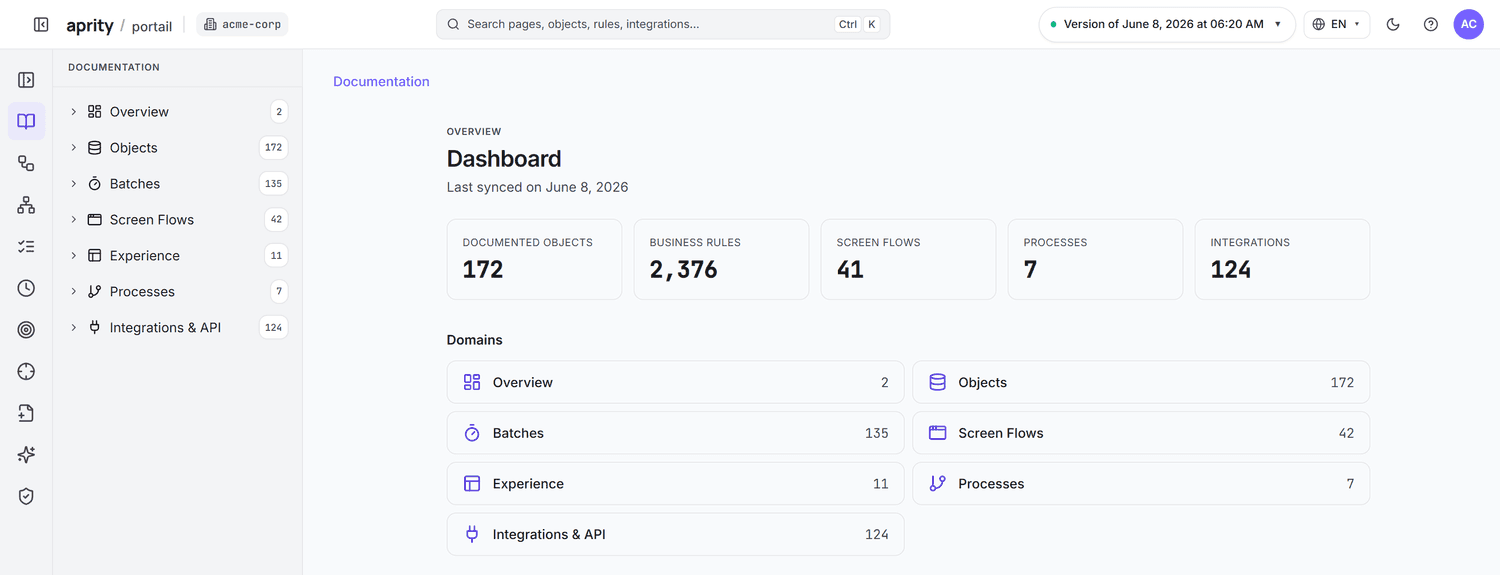
The documentation, read in the portal.
Every object, rule and process of the org, explained in business language. Your team reads it instead of maintaining files; it updates with each scan.
Functional documentation
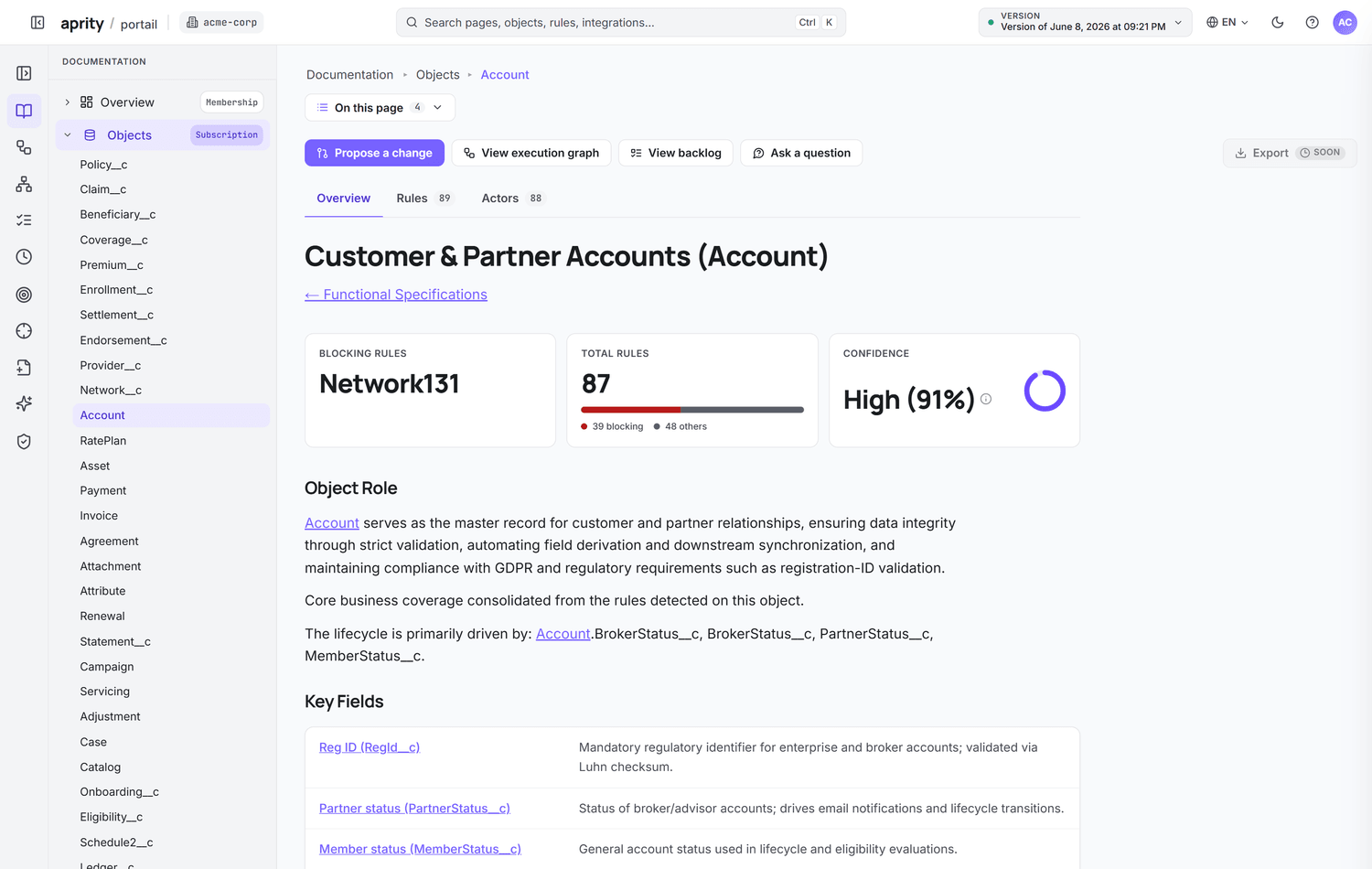
Objects, processes and rules in business language. The portal updates with each scan.
Dependencies and impact
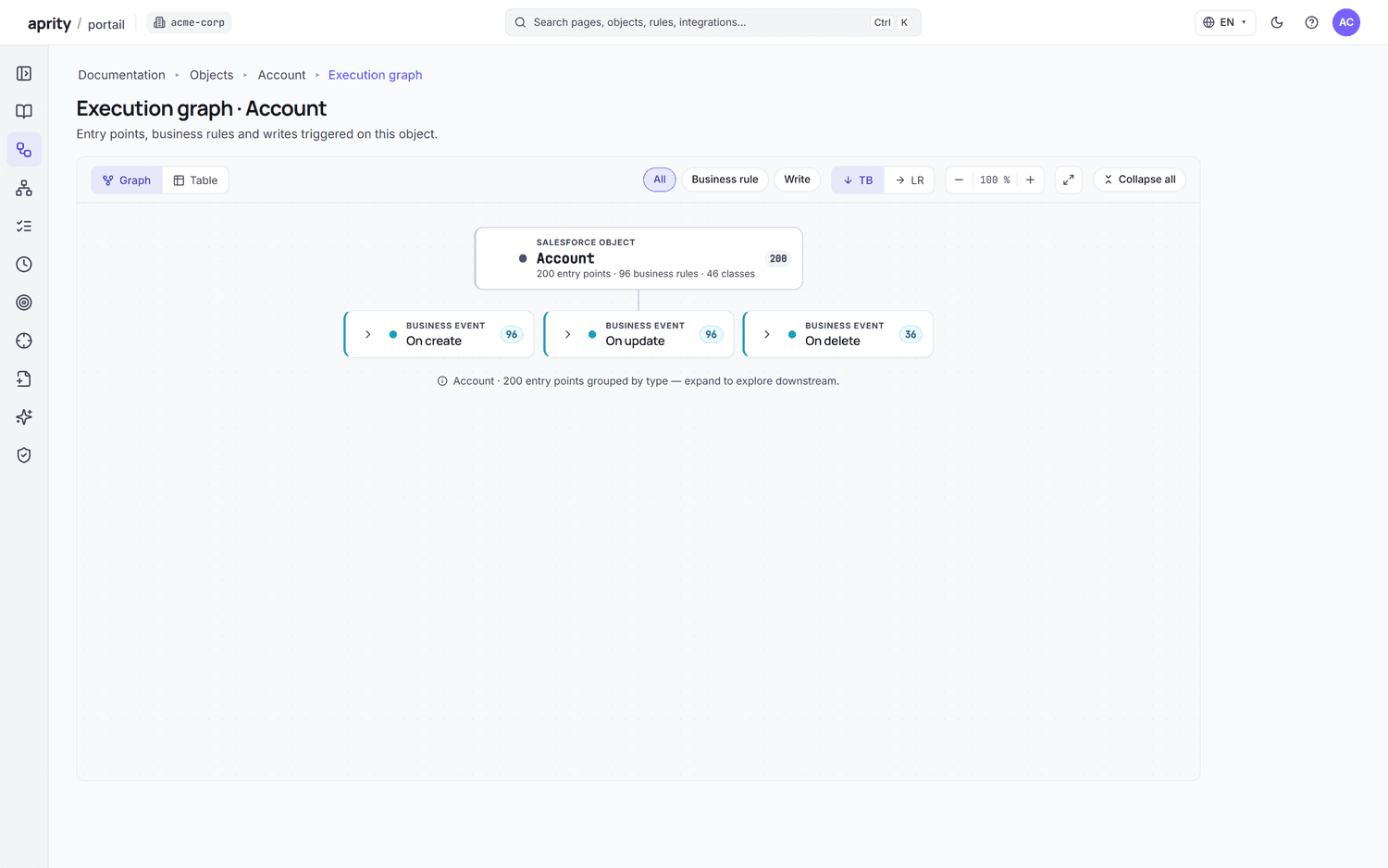
Follow the rules, automations and integrations connected to a component before changing it.
Business rules
What a validation or automation does and which process it supports. Your experts add the purpose when the org cannot say it.
Change history
Which business rules were added, modified or removed between two scans, in business language.
Agents that answer from your org, not from a prompt.
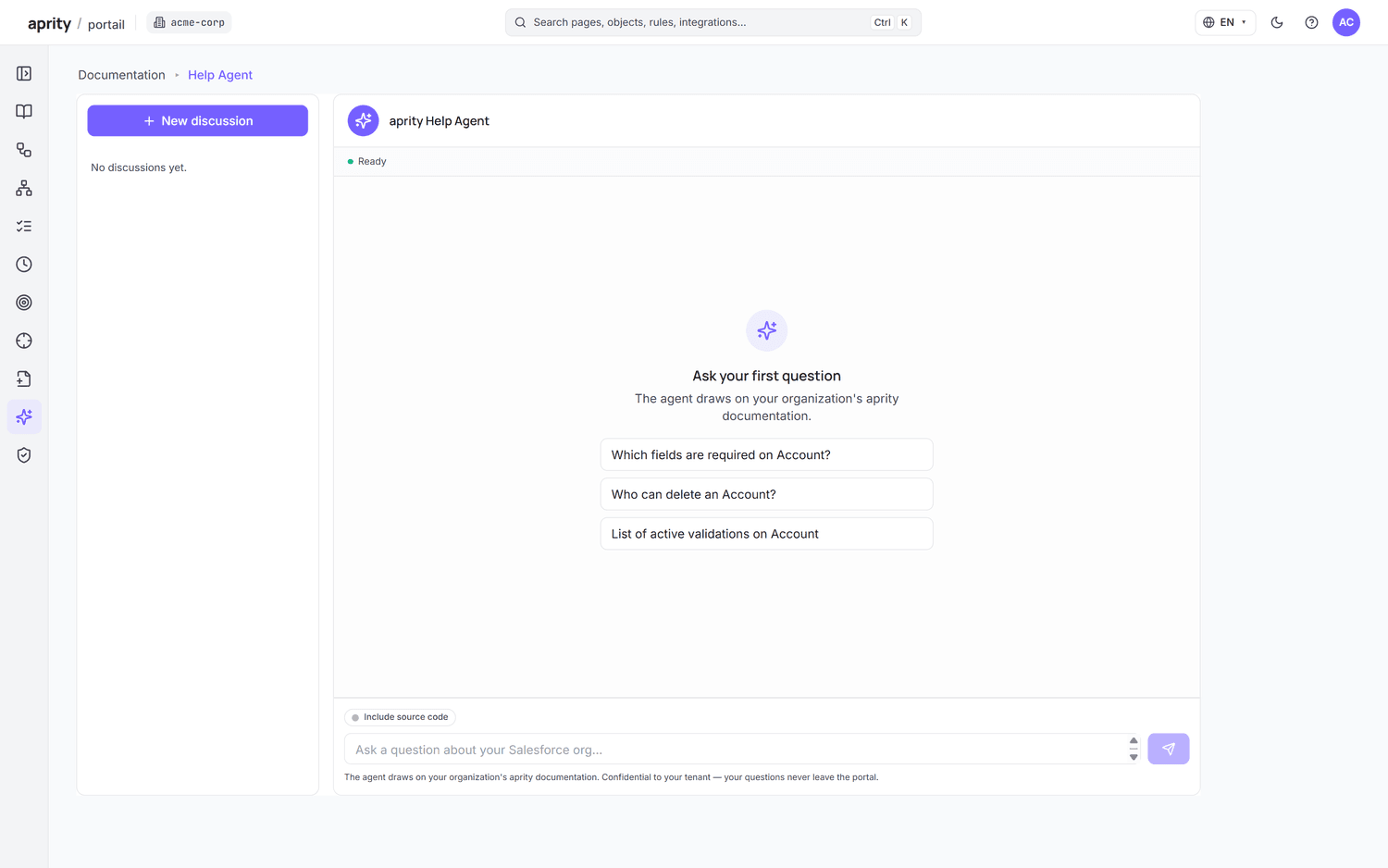
On Intelligence and on the free trial, agents work from the same documentation your team reads. Through MCP and Agentforce, so do your own AI assistants.
Org Expert
Ask how your org behaves, what depends on a component or where information is missing. Answers cite the documentation they come from.
Story Agent
Turn a business need into Gherkin user stories grounded in how the org works, ready for your team to review.
On-Demand Documentation
Generate a targeted document for an object or a scope and download it as HTML or Word.
How the documentation is built
Computed from the metadata, explained by AI, corrected by your experts.
Read-only extraction
A read-only scan captures objects, fields, rules, flows, Apex and integration configuration. Nothing is written to the org; raw metadata is purged after each scan.
Dependency graph
Relationships, dependencies and execution paths are computed from the metadata, before any model writes a word.
Explanation, with its source
AI explains that structure as rules, processes and answers, each linked to the component it was read from. Your experts correct, reject or complete it.
Runtime behaviour the metadata does not describe still needs validation by your team. Access model, residency and purge are detailed on the security page.
Three ways teams put aprity to work.
Prepare an audit
Walk in with documentation that is already current: objects, rules, permissions and integrations, refreshed before the auditor arrives.
Salesforce org audit →Take over an org nobody documented
Map objects, automations, rules and integrations of an inherited org in business language before you change anything.
Salesforce org handover →Document before you migrate
Turn the existing system into an Epic → Feature → Story backlog you can export to Excel or CSV.
Selligent to Salesforce migration →Also: DORA and Salesforce · Automated Salesforce documentation
Simple plans. Per month.
Portal + Org Expert, Story Agent, on-demand docs, MCP, Agentforce, BYOLLM.
Choose IntelligenceSee how your Salesforce org works.
Free 14-day trial on your own org, activated after a quick review — usually within one business day. No credit card. Read-only access, and metadata is purged after every scan.