Automated Salesforce org documentation that’s updated with each scan.
aprity reads your org’s metadata and keeps a functional documentation of it in a web portal: objects, business rules, processes, screen flows and integrations, in business language. Your team reads it instead of maintaining files; your experts add what the metadata cannot say.
Read-only accessMetadata purged after each scanAzure hosting
Documentation needs to keep pace with changes.
Changes outpace documentation
When releases are not reflected in documentation, teams have to reconstruct the current org before an audit or a migration.
Knowledge lives in people
How the org really works sits in a few experts’ heads. When they leave, the understanding leaves with them.
It is expensive to maintain
Keeping a large org documented by hand is a recurring consulting cost: slower, error-prone, and never quite current.
The documentation, read in the portal.
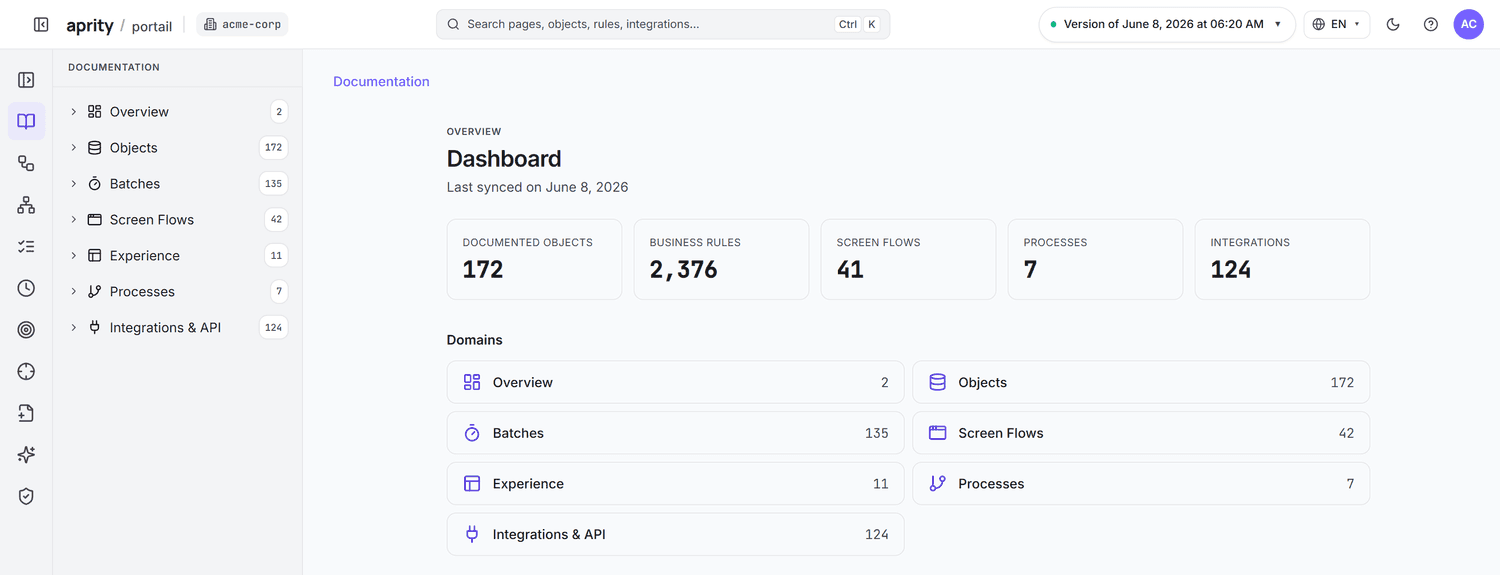
Every object, rule and process of the org, explained in business language, with the component each explanation was read from.
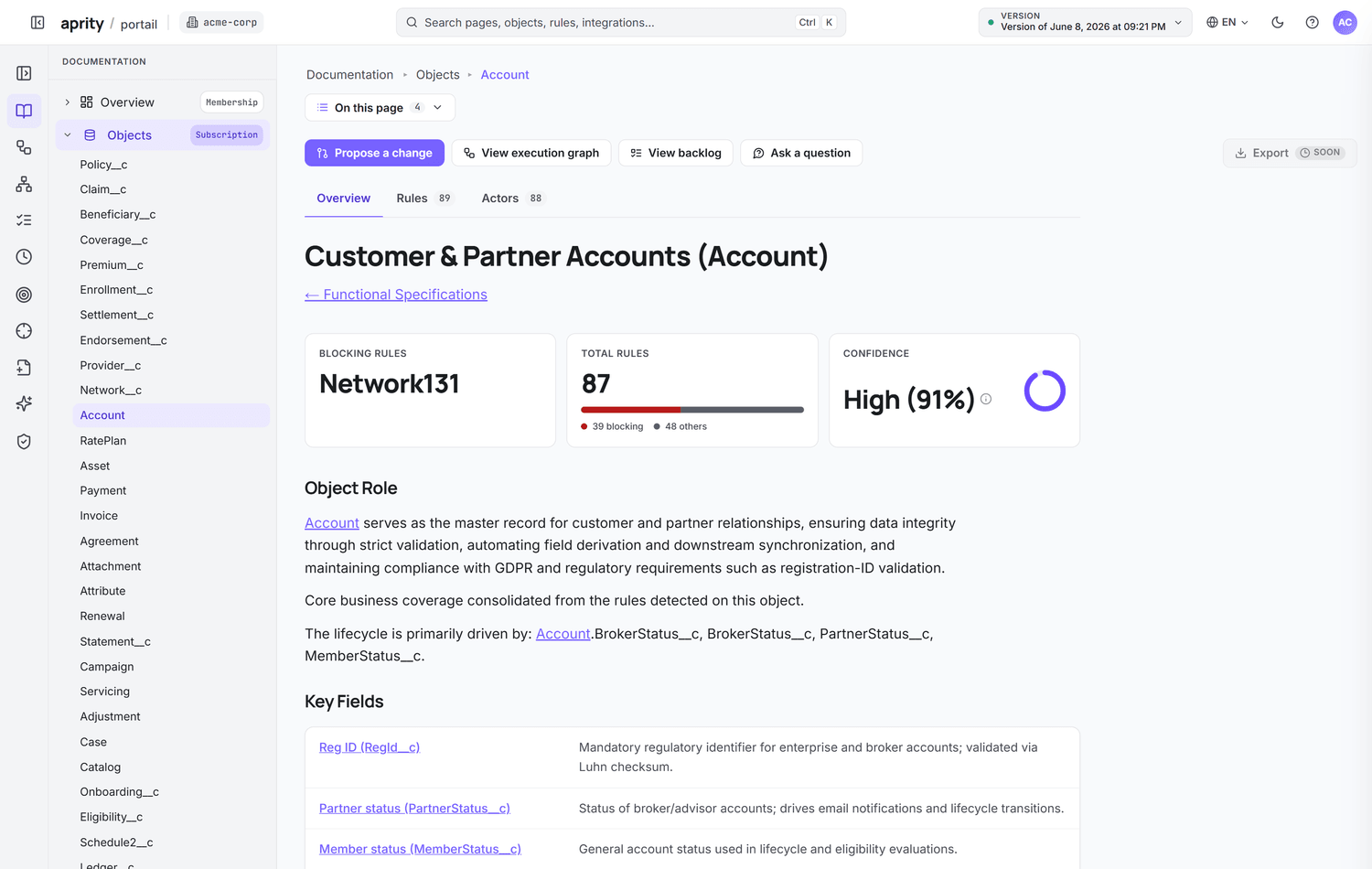
Objects, processes and rules
Object, process and rule pages a non-developer can read, with the purpose of each rule where the org or your experts state it.
Execution graph and integrations
What runs when a record is saved, and which external systems the org exchanges data with, computed from the metadata.
Screen flows, step by step
Each supported screen flow as a functional journey: the steps, the records read and written, the rules behind each step.
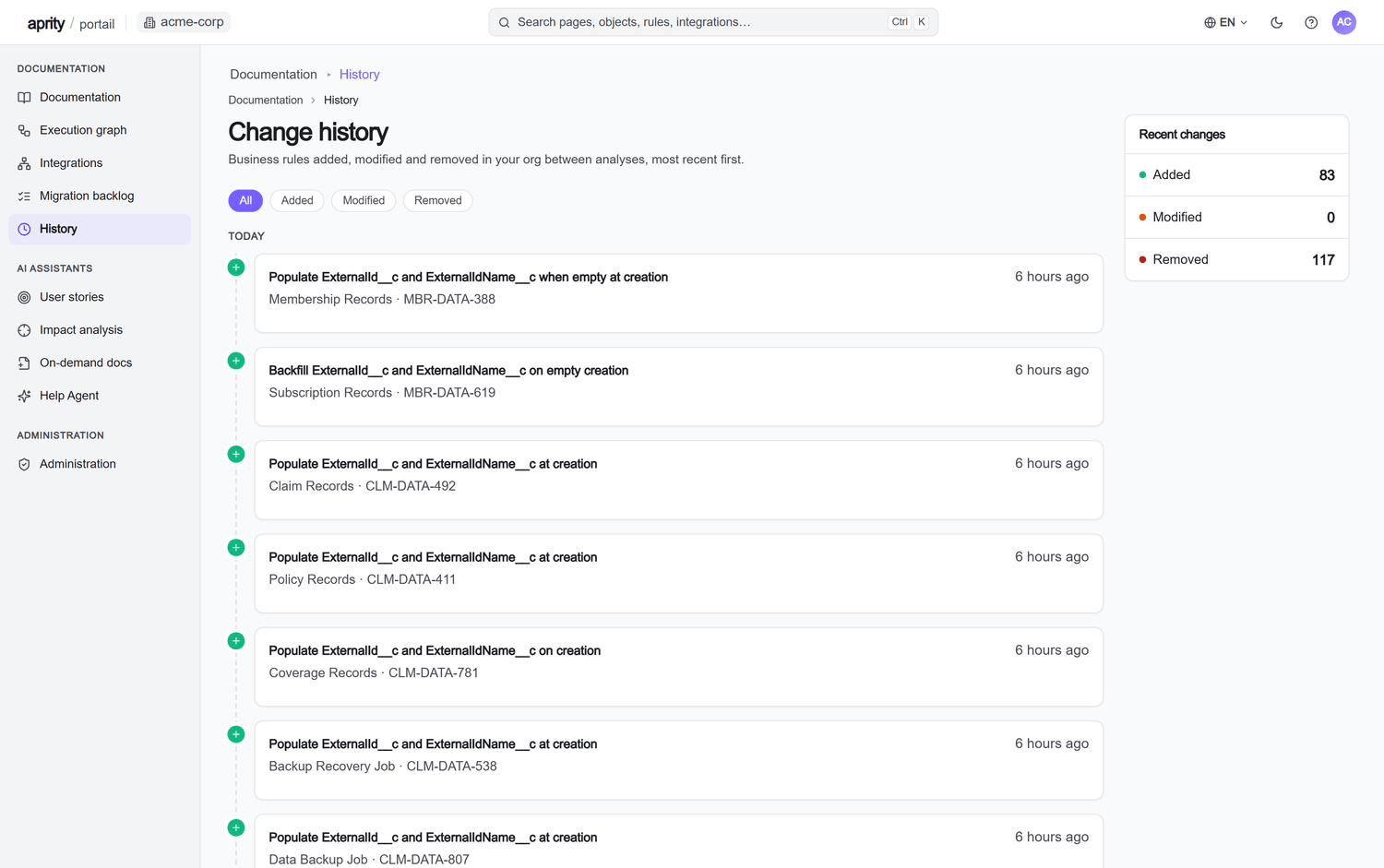
Change history
Which business rules were added, modified or removed between two scans. Re-scan on demand, up to once a week.
Built for audits, migrations and onboarding.
Audit readiness
Walk into the audit with documentation that is already current instead of reconstructing it each cycle.
Migration and redesign
Turn the existing org into an Epic → Feature → Story backlog you can export, with portability flags per item.
Onboarding and change reviews
New joiners read how the org works instead of decoding it; architects see what depends on a field, a flow or an Apex class before they change it.
Computed from the metadata. Explained by AI.
A read-only connector reads your org’s metadata, objects, fields, rules, flows and Apex, and purges it after each scan. Dependencies and execution paths are computed from that metadata before any model writes a word. The AI then explains the structure in business language; each explanation links to the component it was read from, so your team can check it, and your experts correct, reject or complete it.
Security and trust →- It does not write to the org or read the business data in your records.
- It does not produce a downloadable file for the main documentation; it is read in the portal. On-Demand Docs (HTML, Word) and the migration backlog (Excel, CSV) do download.
- It does not observe the org continuously: the portal reflects the last completed scan, up to one per week.
- It does not invent business intent: where the metadata is silent, the documentation says what a component does, not why.
Frequently asked questions
Does aprity write to or change my Salesforce org?
No. The connector is strictly read-only. It reads metadata to build the documentation, never the business data in your records, and cannot modify your schema, data or configuration. Raw metadata is purged after every scan.
How is this different from a metadata dictionary?
A metadata dictionary lists fields and objects. aprity computes their dependencies, then explains objects, processes and rules in business language, each linked to the component it was read from. Your experts add the business context the metadata does not hold.
Is the documentation always up to date?
The portal reflects the most recent completed scan. Paid plans allow up to one scan per week; the 14-day trial allows up to two scans and three documented objects. The change history shows which business rules were added, changed or removed between two scans.
How much does it cost?
The Documentation plan is €2,900 per month for one org. The Intelligence plan is €5,900 per month and adds Org Expert, Story Agent, On-Demand Docs, the MCP server, the Agentforce connector and bring-your-own-LLM. The free 14-day trial needs no credit card.
Document your Salesforce org.
Free 14-day trial on your own org, activated after a quick review. No credit card. Read-only access, and metadata is purged after every scan.
Related
Salesforce org audit
An audit-ready, source-traceable baseline of your org.
Use caseSalesforce org handover
Map an undocumented org you inherit before you change it.
GuideDocument a Salesforce Flow so another engineer can challenge it.
A screenshot can show a route through Flow Builder. It cannot explain which record changes enter that route, what happens on a second update, or which failures leave work unfinished. Those are the questions your documentation needs to answer.
GlossaryApex trigger
Apex code that runs automatically before or after records of an object are inserted, updated, deleted or undeleted.
Practical Salesforce documentation resources
A method, a reusable template and a worked example. No signup required.
How to document a Salesforce org around decisions people need to make
Build org documentation from a dated source baseline, a worked business journey and reviewable behaviour contracts. Separate configuration, intent and operational evidence.
Salesforce documentation template: turn a component description into a review contract
A downloadable Markdown template with a filled example, source register, behaviour contract, claim ledger, acceptance cases and change history.
Salesforce documentation example: read a validation rule without overstating it
A worked validation-rule analysis with boundary cases, transition semantics, counterexamples and explicit limits. Download the synthetic metadata source.